Officials Assigning Software for Assignors & Officials

Assignors & Officials · Powered by ZebraWeb

The power to assign smarter, faster and fairer.

Assigning officials should be simple, fair and stress-free. Powered by ZebraWeb, VantageSportz helps assignors automate assignments, reduce conflicts, communicate instantly and keep every game covered. When a game goes uncovered, everyone notices. The right assigning software makes that the exception, not a Friday-night scramble.  Every tool you add is another place a change can fail to reach someone. One system means one place to look.

Why VantageSportz Officials Assigning

One platform. Total assigning control.

Bring every part of the officiating workflow into one place. Assign games, check availability, prevent conflicts, notify officials, track confirmations and manage schedule changes with tools built for real-world assigning complexity. Officials cancel, games move, and one change ripples across a schedule. Pulling every piece into ZebraWeb is what keeps a shifting slate from becoming a stack of phone calls.


Everything an assignor juggles, in one system

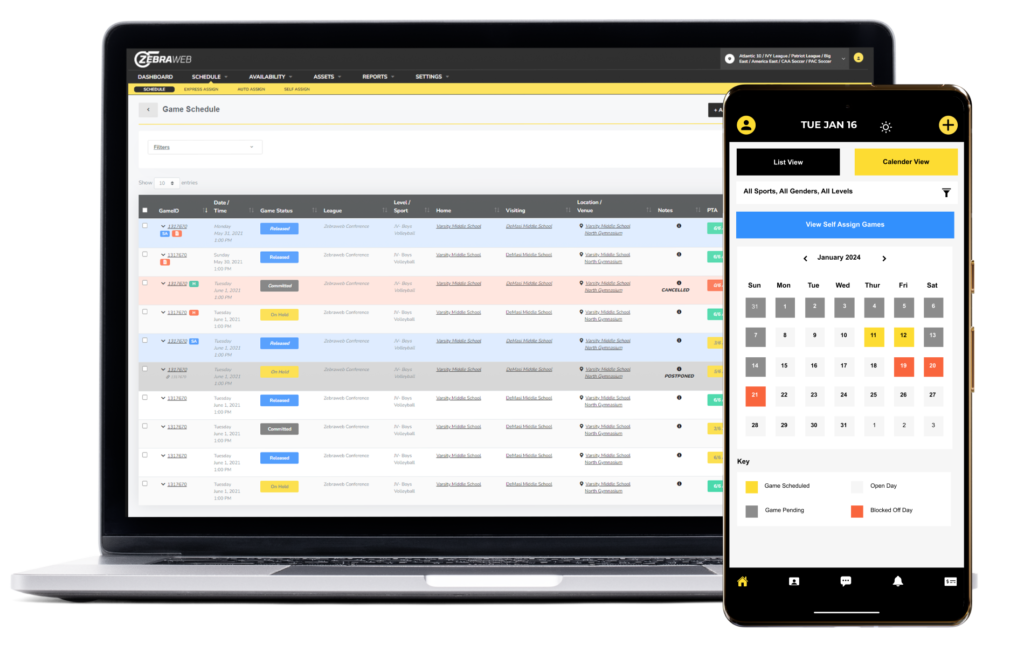
Spreadsheets, group texts and a separate tool for every task is how games get missed and officials get frustrated. ZebraWeb brings assigning, availability, conflict detection, communication and reporting into a single platform that updates in real time.


White check mark icon indicating a completed feature or benefit outline

Assign officials manually, in bulk, or with automation

White check mark icon indicating a completed feature or benefit outline

Match officials based on availability, rank and qualifications

White check mark icon indicating a completed feature or benefit outline

Track confirmations and assignment changes in real time

White check mark icon indicating a completed feature or benefit outline

Prevent conflicts, duplicate assignments and travel issues

Blue checkmark icon indicating completed tasks or verified athletic event information

Communicate updates by app, text or email

White check mark icon indicating a completed feature or benefit outline

View reporting dashboards and assignment history

Two female soccer players celebrating a goal, one embracing the other from behind.

Why Assignors Rely on ZebraWeb

Real assigning is rarely clean. ZebraWeb keeps it under control.

An unfilled game on Friday becomes a crisis by Thursday. Here is what changes when assigning, availability, conflicts and communication stop living in separate places.


Orange outline icon of a calendar with a lightning bolt in the bottom right corner

From slow scheduling to games filled fast

Assign officials in a few clicks. Automated matching fills open games quickly, so a full schedule takes minutes instead of an afternoon.

Orange icon of two arrows pushing inward on a lightning bolt, symbolizing conflict detection

From double-bookings to conflict-free

Built-in conflict detection runs the moment you assign, so an official never lands two games at once, crosses a block-out date or draws a travel issue.

Orange outline icon of a balanced scale, representing fair assignments

From lopsided to balanced assignments

Tools to balance work by sport, level and game type, so assignments are distributed fairly and no one gets overloaded or overlooked.

Four orange mouse pointer icons, fading from dark to light, suggesting multiple clicks.

From twenty steps to a few clicks

A clean, modern interface that cuts the keystrokes and clicks out of everyday tasks. What used to take a many steps now takes a few.

Orange outline icons of a desktop monitor, tablet, and smartphone

From desk-bound to any device

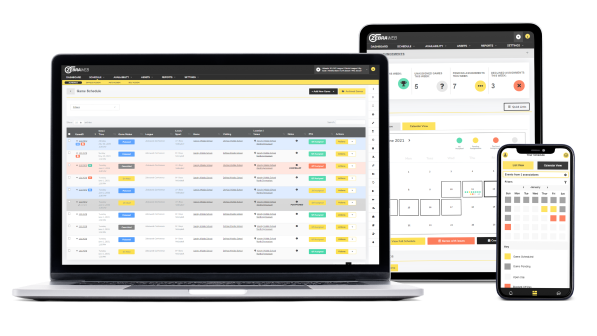
Full access on desktop, tablet or phone. Assign, check availability and handle changes from wherever you are.

Orange line icon of two merging lines forming an upward arrow

From group texts to one channel

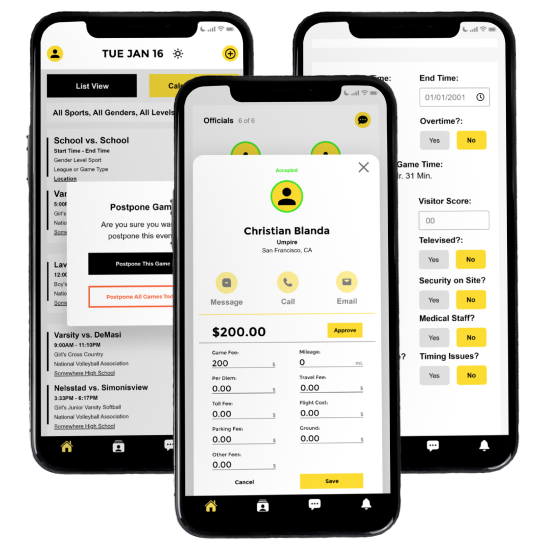
Officials are notified by app, text or email, accept or decline in a tap, and every change reaches the whole crew at once.
One Connected Suite

Assign in ZebraWeb. Pay in ZebraPay. One system.

Covering the game is half the job. Paying the crew is the other half, and doing it in a separate tool is where the double entry and the month-end scramble creep back in. ZebraWeb and ZebraPay are two halves of the same platform, so the assignment you approve becomes the payment you send, without re-keying a thing.  Most assigning tools stop at the assignment. The crew still has to get paid, and that usually means a second system, a second login, and a spreadsheet in between.

ZebraPay · Integrated Payments

The payments half of the platform you already assign in

Because ZebraPay lives inside the same system as ZebraWeb, approved assignments flow straight into payouts. The official who worked the game is the record that gets paid, at the rate your rules already set, so there is nothing to reconcile between two tools.


Blue check mark icon indicating a feature or completed task

Approved assignments flow straight into payouts, no re-entry

Blue check mark icon indicating a feature or completed task

No prefunding required to run payday

Blue check mark icon indicating a feature or completed task

Manage multi-rate pay scales and variable fees

Blue check mark icon indicating a feature or completed task

Alerts for pending approvals or missed payments

Blue check mark icon indicating a feature or completed task

Pay officials and game workers by secure direct deposit

Blue check mark icon indicating a feature or completed task

Batch process officials and 1099 worker payments in seconds

Blue check mark icon indicating a feature or completed task

Collect W-9s at onboarding and file 1099 and W2 forms automatically

Blue check mark icon indicating a feature or completed task

Audit-ready reporting by date, event or payee

Hands typing on a laptop keyboard with a blurred screen showing a document

Paying Officials has never been easier

A simple, proven process to ensure your officials are properly assigned, confirmed and paid.  


1.

Assign

ZebraWeb matches officials by availability, rank and qualification and fills every game, conflict-free.

2.

Confirm

Officials accept assignments and work the game, and confirmations track in real time inside the same system.

3.

Pay

ZebraPay turns the approved assignment into a secure payout and handles the 1099s, all without leaving the platform.

Built for Real-World Assigning

Why assignors trust ZebraWeb

Assigning is messy in practice, and generic scheduling tools break the first time a game moves. ZebraWeb is built by people who understand officiating, for the way assigning actually works.


Abstract icon of a circular flowchart with arrows representing automated registration workflows

Configurable to Your Rules

Workflows shape around your sports, rules and officials instead of forcing you into one fixed process.

Orange magnifying glass icon with a lightning bolt inside, representing conflict detection

Real-Time Conflict Detection

Duplicate assignments, block-out dates and travel issues are caught as you assign, not on game day.

Orange outline icon of a glowing speech bubble with three lines of text

Instant Notifications

Assignments, changes and cancellations reach officials immediately by app, text or email.

Orange icon of a document with three location pins connected by a dotted line

Availability & Block-Out Tracking

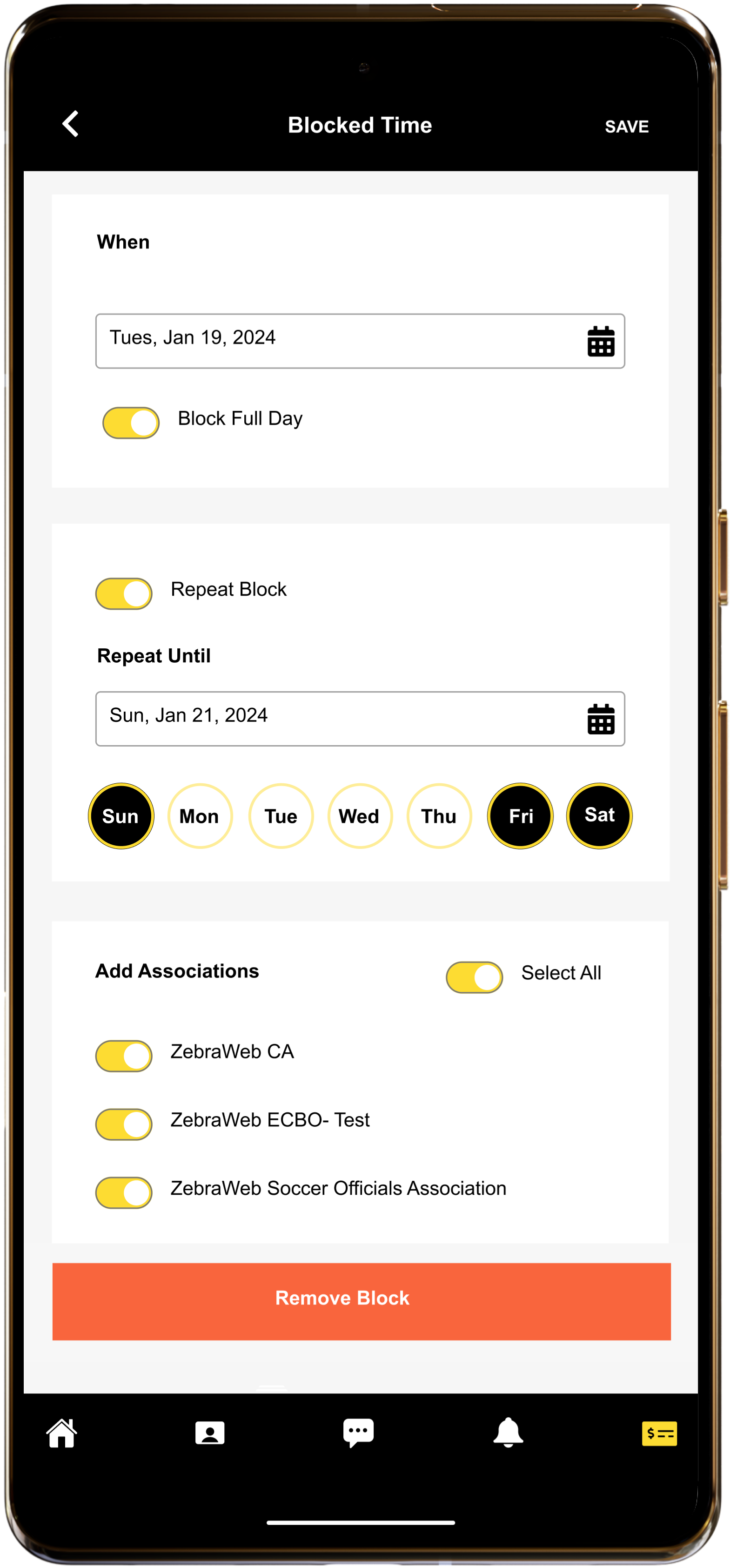
Availability, preferences and history live in one place, so you only assign officials who can actually work.

Orange outline icon of a document with text lines and an hourglass, representing reporting history

Reporting & History

Dashboards, trends and a full assignment record give you the evidence behind every decision.

Orange outline icon of a person wearing a headset, symbolizing customer support

Backed by Real Support

Decades of officiating experience and responsive human support stand behind every assignment.

Who It Serves

Built for the people who keep games covered

From the assignor filling a full weekend slate to the official checking tomorrow’s game on a phone, every role gets a view built for the job.


Assignors & Assigning Coordinators

Officials & Referees

Athletic Directors

League Administrators

Conference Administrators

Tournament Directors

Governing Bodies & Associations

Officials Associations

Umpire Associations

Evaluators & Trainers

School Staff

Multi-Sport Programs

How assignors get every game covered

Filling games should not take a weekend of phone calls. Here is how assignors move from scattered tools to one system built around their rules.


1.

Load your games and crew

Bring schedules, officials and availability into one place. Ranks, qualifications and block-out dates are on file, so ZebraWeb knows who can work what.

2.

Assign in minutes

Match by availability, rank and qualification, manually, in bulk or automatically. Conflict detection catches double-bookings and travel issues before they cost you a no-show.

3.

Keep the crew informed

Officials accept or decline by app, text or email, and any schedule change pushes out instantly with event details and locations.

4.

Review and refine

Track confirmations in real time, capture game reports and evaluations, and use dashboards and history to make each season's assigning sharper.

Numbers That Matter

Assignors and officials stay with ZebraWeb for the precision, the flexibility and the support. The track record is in the games covered and assignments handled every year.


+ 0
Years Experience​
0 M+
Games Scheduled
0 M+
Annual Assignments

Officials assigning software FAQ

How assignors automate assignments, catch conflicts before they happen, and pay the crew from the same system.

Powered by ZebraWeb, it brings the whole officiating workflow into one platform. Assign games manually, in bulk or with automation, check availability, prevent conflicts, notify officials instantly, track confirmations and manage schedule changes, all from one system built for real-world assigning complexity.


ZebraWeb assigns based on availability, rank, qualifications and eligibility, so officials are matched to games they are qualified and available to work. It also factors in school restrictions and preferences and tracks availability and block-out dates, keeping assignments appropriate and conflict-free.


You can assign manually, in bulk, or with automation, whichever fits the situation. A single hard-to-fill game can be handled by hand while a full season’s slate is assigned in bulk or automatically using your configured rules.


It prevents conflicts, duplicate assignments and travel issues by checking your configured rules as assignments are made. Conflict detection runs at the point of assigning rather than surfacing on game day, and real-time tracking of confirmations keeps the schedule accurate as things shift.


Officials are notified instantly by app, text or email and can accept or decline directly. When a game changes or cancels, updates go out immediately with event details and locations, so everyone works from the same information.


Both. ZebraWeb supports school, league and conference assigning, multi-sport assignments, and tournament and playoff assigning in one system, with workflows configured around your rules, sports and officials.


They are two halves of one platform. Assignments you approve in ZebraWeb flow straight into ZebraPay, so the official who worked the game is the record that gets paid, at the rate your rules set. Batch payouts, direct deposit and automatic 1099 and W2 filing happen without re-entering anything or reconciling two separate tools.


Assign smarter. Cover every game. See the difference.

Find out how much time ZebraWeb takes off your assigning and how much confusion it takes out of game day. Reach out and we will walk you through it.